
Airtable
Simple Logo Component
Image
 Emailify
 Browse our collection of Airtable-inspired email components. Each component is fully responsive and ready to use in your email designs.

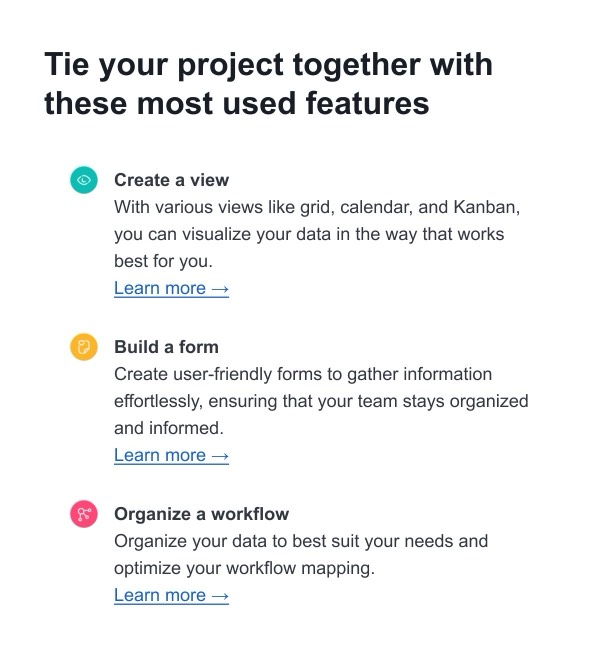

Airtable brings their signature colorful, modular design system to email communications with vibrant layouts that reflect their flexible database platform. Their emails feature bold use of their signature color palette, clean grid-based layouts, and visual metaphors that communicate the power of connected data. Each email demonstrates how to make complex workflow software feel approachable and creative.
The brand’s email design emphasizes clarity and visual organization. Airtable uses their distinctive color blocks, friendly illustrations, and structured content sections to guide users through product updates, use case inspiration, and feature announcements. Their design perfectly balances professional B2B communication with creative, welcoming aesthetics.
Browse the collection above to explore colorful feature blocks, use case showcase sections, workflow diagrams, and template galleries—all inspired by Airtable’s vibrant email design system.
Each component is available in Figma and can be copied directly into your designs. They’re built with email-safe HTML and CSS, ensuring compatibility across all major email clients while maintaining Airtable’s distinctive visual style.
Click the "Copy Figma Component" button on any Airtable component, then paste it directly into your Figma design file using Cmd+V (Mac) or Ctrl+V (Windows). The component will be ready to customize.
Yes, all Airtable email components are fully responsive and work across all major email clients including Gmail, Outlook, Apple Mail, and mobile devices.
Absolutely! Once copied into Figma, you can customize colors, fonts, spacing, images, and all other design elements to match your brand.
These components are designed to work seamlessly with the Emailify Figma plugin, which converts your designs to production-ready HTML email code. You can use them in Figma for free, and use Emailify when you're ready to export.