Afresh
Email Header Section
header
 Emailify
 Browse our collection of Afresh-inspired email components. Each component is fully responsive and ready to use in your email designs.
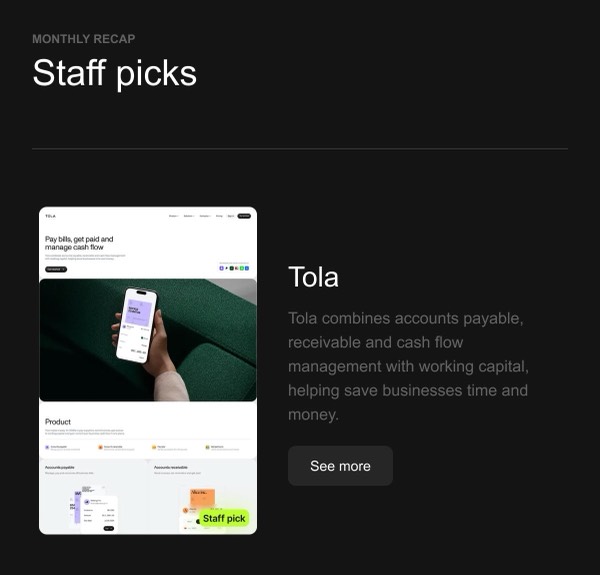

Afresh, an AI-powered fresh food optimization platform, brings clean, data-driven design to their email communications. Their emails emphasize clarity, sustainability messaging, and the intersection of technology and fresh food retail. The design reflects their mission to reduce food waste through thoughtful layouts that communicate both technical innovation and environmental impact.
Their email design prioritizes clear information delivery with a fresh, modern aesthetic. Afresh uses clean layouts, green accent colors that reinforce sustainability, and data visualization elements that demonstrate their platform’s impact on reducing waste and improving fresh food management for grocers.
Browse the collection above to explore impact metric displays, sustainability-focused hero sections, data dashboard previews, and B2B-optimized CTAs—all inspired by Afresh’s mission-driven email design.
Each component is available in Figma and can be copied directly into your designs. They’re built with email-safe HTML and CSS, ensuring compatibility across all major email clients and effective in B2B communications.
Click the "Copy Figma Component" button on any Afresh component, then paste it directly into your Figma design file using Cmd+V (Mac) or Ctrl+V (Windows). The component will be ready to customize.
Yes, all Afresh email components are fully responsive and work across all major email clients including Gmail, Outlook, Apple Mail, and mobile devices.
Absolutely! Once copied into Figma, you can customize colors, fonts, spacing, images, and all other design elements to match your brand.
These components are designed to work seamlessly with the Emailify Figma plugin, which converts your designs to production-ready HTML email code. You can use them in Figma for free, and use Emailify when you're ready to export.