Alto's Odyssey
Alto's Odyssey Announcement
Image
 Emailify
 Browse our collection of Alto's Odyssey-inspired email components. Each component is fully responsive and ready to use in your email designs.
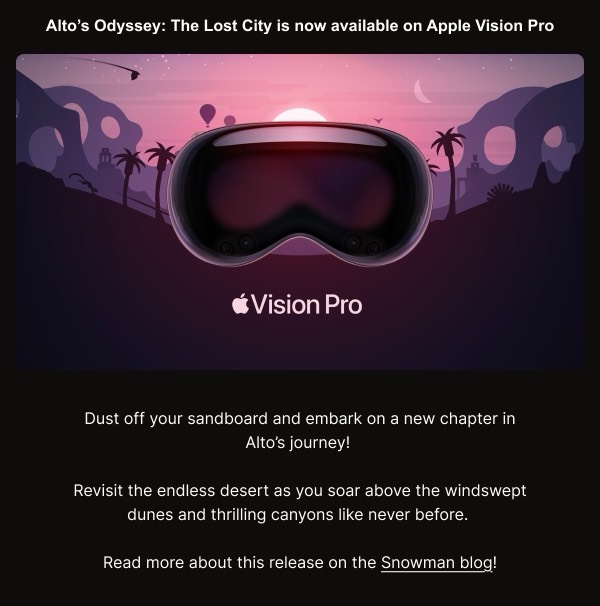
Alto’s Odyssey, the award-winning mobile game known for its serene aesthetic, brings the same zen-like visual beauty to email communications. Their emails mirror the game’s meditative desert landscapes with gradient backgrounds, atmospheric imagery, and minimalist design that evokes the peaceful gameplay experience. Each email feels like a moment of calm, using muted colors and flowing compositions.
The brand’s email design emphasizes atmosphere over information density. Alto’s Odyssey emails use sweeping gradient backgrounds reminiscent of desert sunsets, minimal text, and carefully positioned game screenshots that showcase the beautiful visual design. Their communications prioritize mood and aesthetic experience, appealing to players who value the game’s artistic qualities.
Browse the collection above to explore gradient hero sections, atmospheric game showcases, minimal update announcements, and zen-inspired CTAs—all reflecting Alto’s Odyssey’s tranquil email design.
Each component is available in Figma and can be copied directly into your designs. They’re built with email-safe HTML and CSS, ensuring compatibility across all major email clients while maintaining the serene Alto’s Odyssey aesthetic.
Click the "Copy Figma Component" button on any Alto's Odyssey component, then paste it directly into your Figma design file using Cmd+V (Mac) or Ctrl+V (Windows). The component will be ready to customize.
Yes, all Alto's Odyssey email components are fully responsive and work across all major email clients including Gmail, Outlook, Apple Mail, and mobile devices.
Absolutely! Once copied into Figma, you can customize colors, fonts, spacing, images, and all other design elements to match your brand.
These components are designed to work seamlessly with the Emailify Figma plugin, which converts your designs to production-ready HTML email code. You can use them in Figma for free, and use Emailify when you're ready to export.