One Trick Pony
Peanut Butter Lovers
single column ColorfulLight Image
 Emailify
 Browse our collection of One Trick Pony-inspired email components. Each component is fully responsive and ready to use in your email designs.


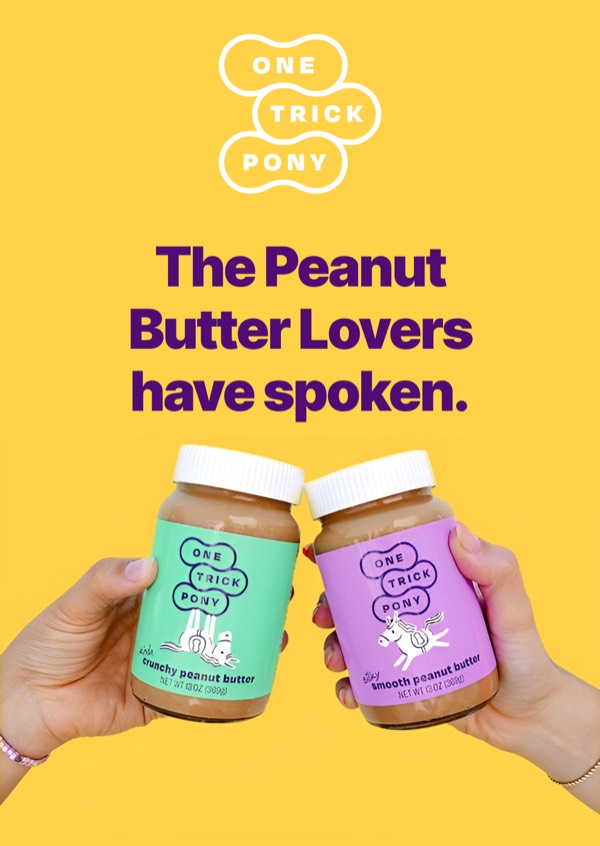
One Trick Pony’s email design embodies their coffee brand with artisanal aesthetics, craft-focused imagery, and minimalist layouts that let quality beans shine. Their emails feature beautiful coffee photography, hand-drawn illustrations, and warm, earthy color palettes that communicate dedication to single-origin excellence. Each email feels like a conversation with a passionate roaster who truly cares about the craft.
The brand’s email design balances specialty coffee expertise with approachability. One Trick Pony emails highlight their focus on doing one thing exceptionally well—sourcing and roasting outstanding coffee. Their design includes origin stories, roasting notes, and brewing guidance that educates while building appreciation for specialty coffee without pretension or coffee snobbery.
Browse the collection above to explore origin story headers, roast profile sections, brewing guide blocks, and craft-focused CTAs—all inspired by One Trick Pony’s specialty coffee design.
Each component is available in Figma and can be copied directly into your designs. They’re built with email-safe HTML and CSS, ensuring compatibility across all major email clients.
Click the "Copy Figma Component" button on any One Trick Pony component, then paste it directly into your Figma design file using Cmd+V (Mac) or Ctrl+V (Windows). The component will be ready to customize.
Yes, all One Trick Pony email components are fully responsive and work across all major email clients including Gmail, Outlook, Apple Mail, and mobile devices.
Absolutely! Once copied into Figma, you can customize colors, fonts, spacing, images, and all other design elements to match your brand.
These components are designed to work seamlessly with the Emailify Figma plugin, which converts your designs to production-ready HTML email code. You can use them in Figma for free, and use Emailify when you're ready to export.