Stripe
Billing System Insight
banner Image CTA
 Emailify
 Browse our collection of Stripe-inspired email components. Each component is fully responsive and ready to use in your email designs.

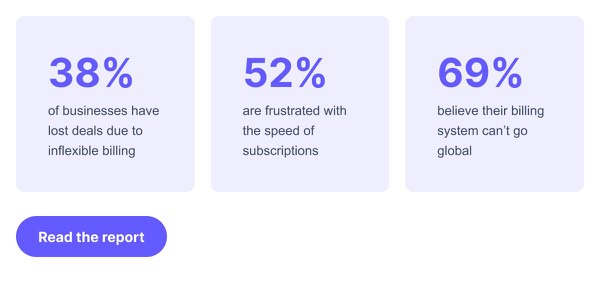
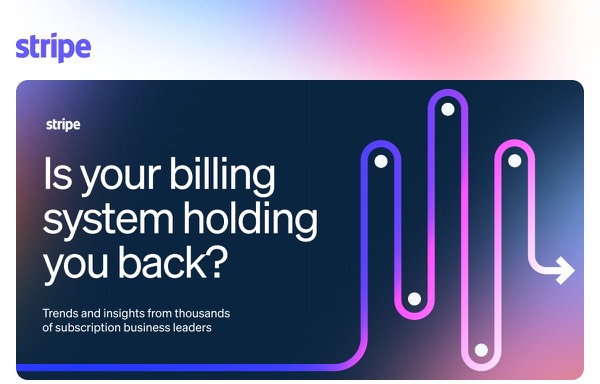
Stripe’s email design embodies developer-first simplicity with clean, minimal layouts that prioritize technical clarity and API documentation aesthetics. Their emails feature code snippets, clear transaction notifications, and their signature purple accents used sparingly for emphasis. Each email communicates complex payment infrastructure through approachable design that respects developers’ time and intelligence.
The brand’s email design balances technical precision with visual elegance. Stripe emails include detailed transaction receipts, API update announcements with changelog clarity, and onboarding guidance presented through logical, well-organized layouts. Their design emphasizes that payments infrastructure should be both powerful and elegantly simple, treating technical communication as a craft worth perfecting.
Browse the collection above to explore transaction receipt headers, API documentation sections, changelog blocks, and developer-focused CTAs—all inspired by Stripe’s payment platform design.
Each component is available in Figma and can be copied directly into your designs. They’re built with email-safe HTML and CSS, ensuring compatibility across all major email clients.
Click the "Copy Figma Component" button on any Stripe component, then paste it directly into your Figma design file using Cmd+V (Mac) or Ctrl+V (Windows). The component will be ready to customize.
Yes, all Stripe email components are fully responsive and work across all major email clients including Gmail, Outlook, Apple Mail, and mobile devices.
Absolutely! Once copied into Figma, you can customize colors, fonts, spacing, images, and all other design elements to match your brand.
These components are designed to work seamlessly with the Emailify Figma plugin, which converts your designs to production-ready HTML email code. You can use them in Figma for free, and use Emailify when you're ready to export.