
Threads
Icon-Based Header
header Image
 Emailify
 Browse our collection of Threads-inspired email components. Each component is fully responsive and ready to use in your email designs.
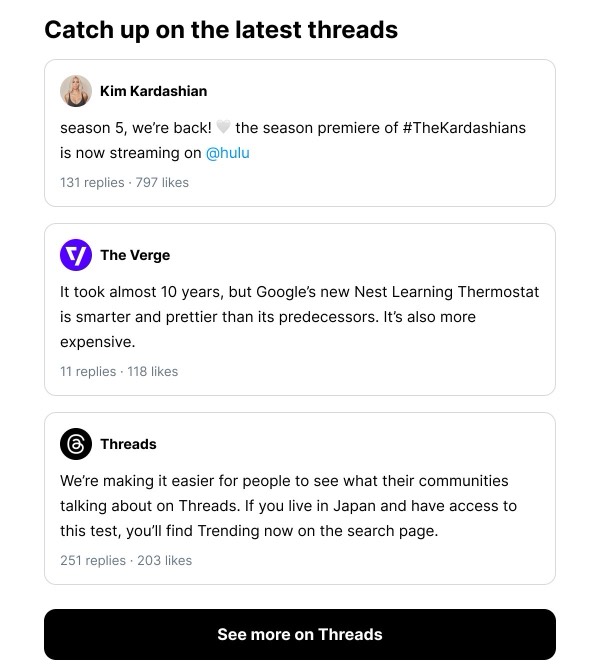
Threads’s email design reflects Meta’s text-based social platform with clean, conversation-focused layouts and Instagram integration. Their emails feature user-generated content, trending topics, and account activity notifications using minimal design that prioritizes authentic dialogue. Each email encourages text-first sharing and community engagement on the Instagram companion app.
The brand’s email design balances social engagement with simplicity. Threads emails include post highlights, follower activity, and trending conversations through streamlined layouts that feel native to the mobile-first app. Their design emphasizes that text-based social sharing should be straightforward, authentic, and connected to Instagram’s visual community.
Browse the collection above to explore conversation highlight headers, trending topic sections, follower activity blocks, and engagement CTAs—all inspired by Threads’s social platform design.
Each component is available in Figma and can be copied directly into your designs. They’re built with email-safe HTML and CSS, ensuring compatibility across all major email clients.
Click the "Copy Figma Component" button on any Threads component, then paste it directly into your Figma design file using Cmd+V (Mac) or Ctrl+V (Windows). The component will be ready to customize.
Yes, all Threads email components are fully responsive and work across all major email clients including Gmail, Outlook, Apple Mail, and mobile devices.
Absolutely! Once copied into Figma, you can customize colors, fonts, spacing, images, and all other design elements to match your brand.
These components are designed to work seamlessly with the Emailify Figma plugin, which converts your designs to production-ready HTML email code. You can use them in Figma for free, and use Emailify when you're ready to export.