Apple Music
Latest Music Releases
single column
 Emailify
 Browse our collection of Apple Music-inspired email components. Each component is fully responsive and ready to use in your email designs.
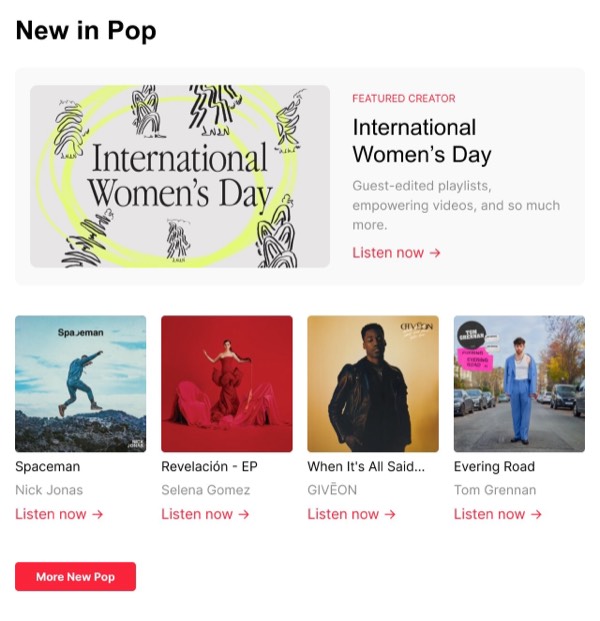
Apple Music brings the emotional power of music to email design with bold, album-focused layouts that celebrate artists and personalized listening. Their emails feature vibrant album artwork, rich gradients extracted from cover art, and layouts that feel more like music discovery than traditional marketing. Each email captures the energy and personality of music with dynamic typography and artist-centric design.
The brand’s email design balances Apple’s signature minimalism with the expressive world of music. Apple Music emails use large album artwork as visual anchors, personalized recommendations based on listening history, and editorial playlists that feel curated by music experts. The design leverages color from album art to create unique, emotionally resonant experiences for each email.
Browse the collection above to explore album showcase grids, personalized playlist sections, new release announcements, and artist feature layouts—all inspired by Apple Music’s music-first email design.
Each component is available in Figma and can be copied directly into your designs. They’re built with email-safe HTML and CSS, ensuring compatibility across all major email clients while capturing the vibrancy of music.
Click the "Copy Figma Component" button on any Apple Music component, then paste it directly into your Figma design file using Cmd+V (Mac) or Ctrl+V (Windows). The component will be ready to customize.
Yes, all Apple Music email components are fully responsive and work across all major email clients including Gmail, Outlook, Apple Mail, and mobile devices.
Absolutely! Once copied into Figma, you can customize colors, fonts, spacing, images, and all other design elements to match your brand.
These components are designed to work seamlessly with the Emailify Figma plugin, which converts your designs to production-ready HTML email code. You can use them in Figma for free, and use Emailify when you're ready to export.