
Clare
Shipping Promotion Banner
banner CTA
 Emailify
 Browse our collection of Clare-inspired email components. Each component is fully responsive and ready to use in your email designs.
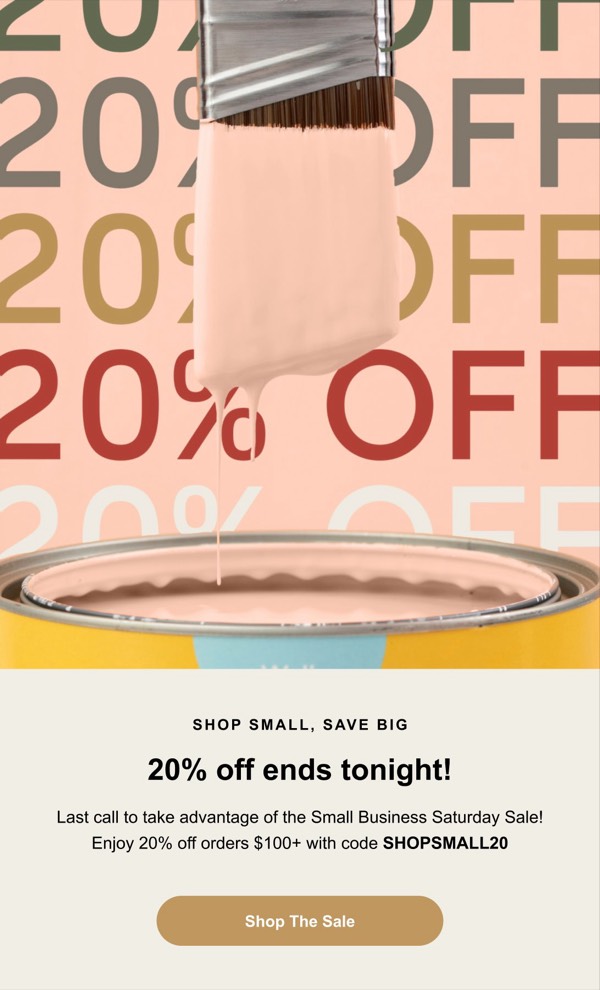


Clare, the direct-to-consumer paint brand, brings sophisticated color theory to email design with carefully curated palettes and room transformation visuals. Their emails feature beautiful interior photography, paint swatch displays, and the clean, modern aesthetic of contemporary home design. Each email positions paint selection as a design decision rather than a chore.
The brand’s email design emphasizes color confidence and room transformation. Clare emails showcase before-and-after room makeovers, color palette combinations, and designer-selected collections that help customers envision results. Their soft, sophisticated layouts appeal to design-conscious homeowners seeking elevated, accessible interior solutions.
Browse the collection above to explore color palette showcases, room transformation galleries, designer collection features, and confidence-building CTAs—all inspired by Clare’s design-forward paint email approach.
Each component is available in Figma and can be copied directly into your designs. They’re built with email-safe HTML and CSS, ensuring compatibility across all major email clients.
Click the "Copy Figma Component" button on any Clare component, then paste it directly into your Figma design file using Cmd+V (Mac) or Ctrl+V (Windows). The component will be ready to customize.
Yes, all Clare email components are fully responsive and work across all major email clients including Gmail, Outlook, Apple Mail, and mobile devices.
Absolutely! Once copied into Figma, you can customize colors, fonts, spacing, images, and all other design elements to match your brand.
These components are designed to work seamlessly with the Emailify Figma plugin, which converts your designs to production-ready HTML email code. You can use them in Figma for free, and use Emailify when you're ready to export.