
DoorDash
Brand Partnership Header
header Image
 Emailify
 Browse our collection of DoorDash-inspired email components. Each component is fully responsive and ready to use in your email designs.
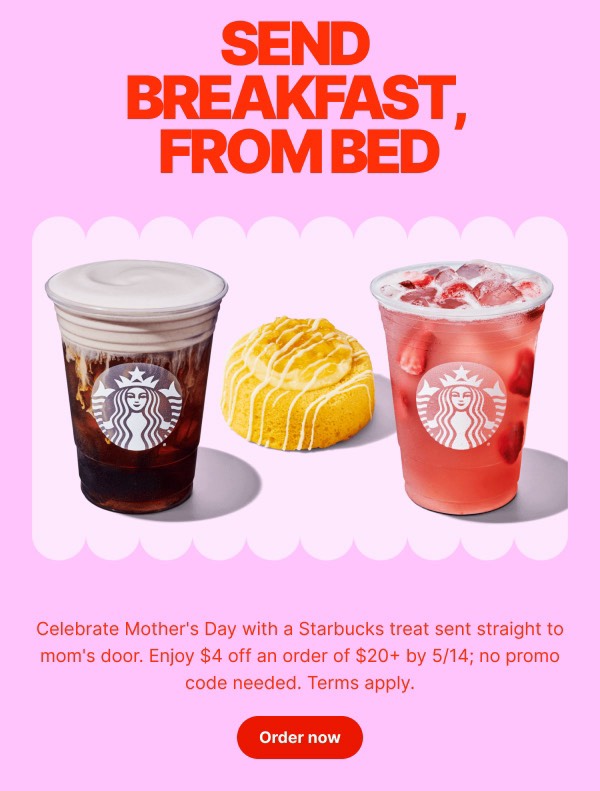
DoorDash, the leading food delivery platform, brings appetite appeal and urgency to email design with mouth-watering food photography, location-based restaurant recommendations, and action-oriented layouts featuring their signature red branding. Their emails balance promotional offers with personalized restaurant suggestions, order tracking updates, and time-sensitive deals. Each communication optimizes for immediate conversion while maintaining the excitement of discovering new dining options.
The brand’s email design prioritizes speed and convenience. DoorDash emails feature bold CTAs, clear discount messaging, and personalized restaurant carousels based on user preferences and location. Their approach reflects the on-demand nature of food delivery through streamlined design that reduces friction between hunger and satisfaction, often incorporating real-time elements like delivery estimates and exclusive offers.
Browse the collection above to explore restaurant carousel sections, promotional banner blocks, order tracking modules, and conversion-optimized CTAs—all inspired by DoorDash’s on-demand email design.
Each component is available in Figma and can be copied directly into your designs. They’re built with email-safe HTML and CSS, ensuring compatibility across all major email clients.
Click the "Copy Figma Component" button on any DoorDash component, then paste it directly into your Figma design file using Cmd+V (Mac) or Ctrl+V (Windows). The component will be ready to customize.
Yes, all DoorDash email components are fully responsive and work across all major email clients including Gmail, Outlook, Apple Mail, and mobile devices.
Absolutely! Once copied into Figma, you can customize colors, fonts, spacing, images, and all other design elements to match your brand.
These components are designed to work seamlessly with the Emailify Figma plugin, which converts your designs to production-ready HTML email code. You can use them in Figma for free, and use Emailify when you're ready to export.