
Miro
Email Header
header LightMuted Image
 Emailify
 Browse our collection of Miro-inspired email components. Each component is fully responsive and ready to use in your email designs.
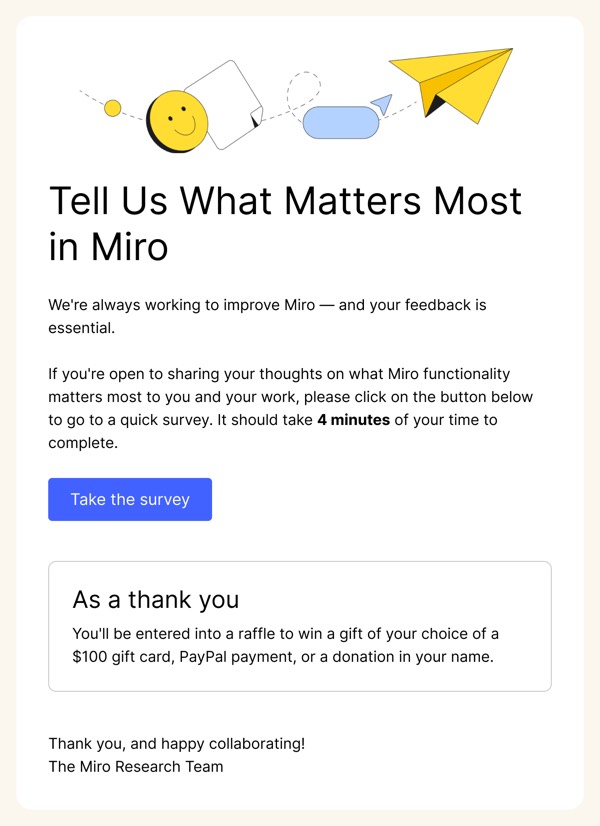
Miro’s email design reflects their collaborative whiteboard platform with colorful, dynamic layouts featuring sticky notes, diagrams, and visual thinking elements. Their emails feel like an infinite canvas—full of possibility, creativity, and team collaboration. Each email demonstrates visual collaboration through screenshots of real boards, template showcases, and workflow examples that emphasize teamwork.
The brand’s email design prioritizes visual communication and productivity. Miro emails use their signature yellow accents alongside vibrant board screenshots, include clear use case examples from brainstorming to project planning, and maintain an energetic, innovative aesthetic. Their design communicates that collaboration can be visual, engaging, and infinitely flexible.
Browse the collection above to explore board showcase headers, template collection grids, use case demonstrations, and collaboration-focused CTAs—all inspired by Miro’s visual workspace design.
Each component is available in Figma and can be copied directly into your designs. They’re built with email-safe HTML and CSS, ensuring compatibility across all major email clients.
Click the "Copy Figma Component" button on any Miro component, then paste it directly into your Figma design file using Cmd+V (Mac) or Ctrl+V (Windows). The component will be ready to customize.
Yes, all Miro email components are fully responsive and work across all major email clients including Gmail, Outlook, Apple Mail, and mobile devices.
Absolutely! Once copied into Figma, you can customize colors, fonts, spacing, images, and all other design elements to match your brand.
These components are designed to work seamlessly with the Emailify Figma plugin, which converts your designs to production-ready HTML email code. You can use them in Figma for free, and use Emailify when you're ready to export.