Little Beast
Free Shipping Announcement
banner CTA CTA
 Emailify
 Browse our collection of Little Beast-inspired email components. Each component is fully responsive and ready to use in your email designs.
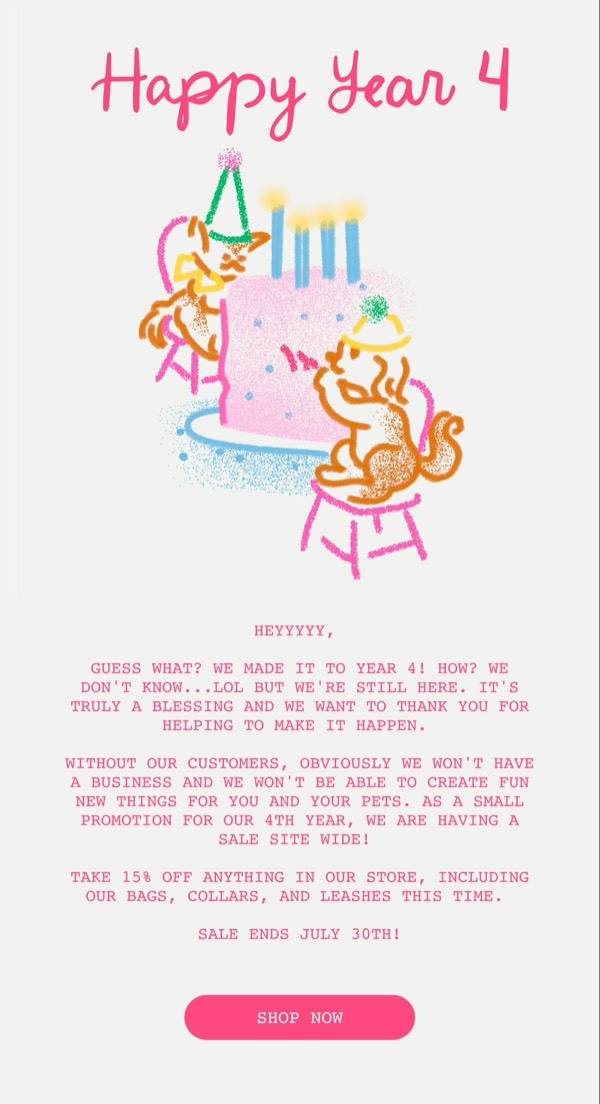

Little Beast’s email design captures their premium pet nutrition brand with warm, natural imagery and sophisticated layouts that appeal to health-conscious pet parents. Their emails feature beautiful photography of happy pets, ingredient spotlights, and earthy color palettes that communicate quality and wholesomeness. Each email feels like a conversation with a trusted veterinary nutritionist.
The brand’s email design balances premium positioning with approachability. Little Beast emails use soft, muted tones alongside vibrant product photography, include educational content about pet health, and maintain a warm, caring voice throughout. Their design reflects the brand’s commitment to fresh, human-grade pet food through natural aesthetics and transparency.
Browse the collection above to explore ingredient showcase sections, pet health education blocks, subscription management features, and nurturing CTAs—all inspired by Little Beast’s premium pet food design.
Each component is available in Figma and can be copied directly into your designs. They’re built with email-safe HTML and CSS, ensuring compatibility across all major email clients.
Click the "Copy Figma Component" button on any Little Beast component, then paste it directly into your Figma design file using Cmd+V (Mac) or Ctrl+V (Windows). The component will be ready to customize.
Yes, all Little Beast email components are fully responsive and work across all major email clients including Gmail, Outlook, Apple Mail, and mobile devices.
Absolutely! Once copied into Figma, you can customize colors, fonts, spacing, images, and all other design elements to match your brand.
These components are designed to work seamlessly with the Emailify Figma plugin, which converts your designs to production-ready HTML email code. You can use them in Figma for free, and use Emailify when you're ready to export.